Rithmic R|Trader Pro history, turned into real trades
Rithmic is the routing and data network behind many futures brokers and prop firms, and R|Trader Pro is its own trading app. Its history comes out as orders, not finished trades: each buy and sell is its own row. Rithmic's release notes say the Order History window can fetch a date range of up to one week at a time. Export week by week, import, and the journal pairs your fills into round trips.
First, which platform are you really on?
A lot of traders say "I trade Rithmic" when they mean "my prop firm gave me a Rithmic login and I trade it through NinjaTrader, Quantower or Sierra Chart". If that is you, export from that platform instead; it usually gives a cleaner file. See our guides for NinjaTrader, Quantower and Sierra Chart. This page is for trades placed in R|Trader Pro itself.
What Rithmic documents, and what it does not
Rithmic does not publish a user manual online that we could check, so we will be straight about what is confirmed. From its official R|Trader Pro release notes:
- Order History supports fetching history for a date range up to a week (version 17.66).
- The Order History window can include several accounts at once (17.55).
- The Performance window has a maximum lookback of one week too.
- Recent Orders and Order History gained a Last Fill Time field (17.43), and the Create Time field shows the time zone in use (17.36).
The export steps below come from how the windows work and from third-party journal guides, not from a Rithmic manual. Menus can differ by version.
Getting a file out
- Open Order History (for earlier days) or Recent Orders (for today).
- Select your account and a date range of up to one week.
- Add the columns you need if they are hidden: account, symbol, buy or sell, filled quantity, average fill price, the fill or update time, and status.
- Export or save the grid as CSV.
Make it a Friday habit. A one week window means a monthly export is four exports. Doing it every Friday after the close takes two minutes and doubles as a weekly review.
Cleaning the file before import
Order rows include orders that never filled: cancelled stops, rejected orders, working limits. Delete every row whose status is not filled before you import. Otherwise the journal sees a "sell 2" that never happened and pairs it with a real buy.
Check the time column too. Rithmic shows the time zone next to Create Time. Note it, and set the same zone in the journal's settings, so your session analysis is right.
The honest part: points, not dollars
Order history has no dollar P&L. The journal can still pair buys and sells first in, first out, but for a generic file it works out the result as price difference times contracts. It does not know the contract's point value, and a symbol with an expiry code like MNQZ6 is not recognised as a futures contract at all. We tested this, and the dollar figures that came out were nonsense. Contract point values are only applied automatically for NinjaTrader execution exports and Trading Technologies fill reports.
So you have two good options:
- Route the same login through NinjaTrader. If your firm lets you connect the Rithmic account to NinjaTrader, its execution export imports with point values applied. See our NinjaTrader guide.
- Build one row per trade. In a spreadsheet, turn each round trip into a single row with the layout below, with the dollar result in Profit. We tested this exact layout; it imports with direction, prices, size, P&L and commission all correct, and a root symbol like NQ is filed under futures.
| Symbol | Direction | Open Time | Close Time | Entry Price | Exit Price | Size | Profit | Commission |
|---|---|---|---|---|---|---|---|---|
| NQ | Short | 2026-10-01 14:31:05 | 2026-10-01 14:40:10 | 21000.00 | 20990.00 | 1 | 200 | 4.50 |
Worked example for the Profit column: buy 2 MNQ at 20,100.00 and sell both at 20,120.00. That is 20 points x 2 USD a point x 2 contracts = 80 USD. Write 80, not 20.
Import the one-row-per-trade file and the journal reads it as finished trades. Use ISO dates (2026-10-01 14:31:05). No live sync for Rithmic: live sync covers MT4, MT5 and cTrader.
What to look at once it is in
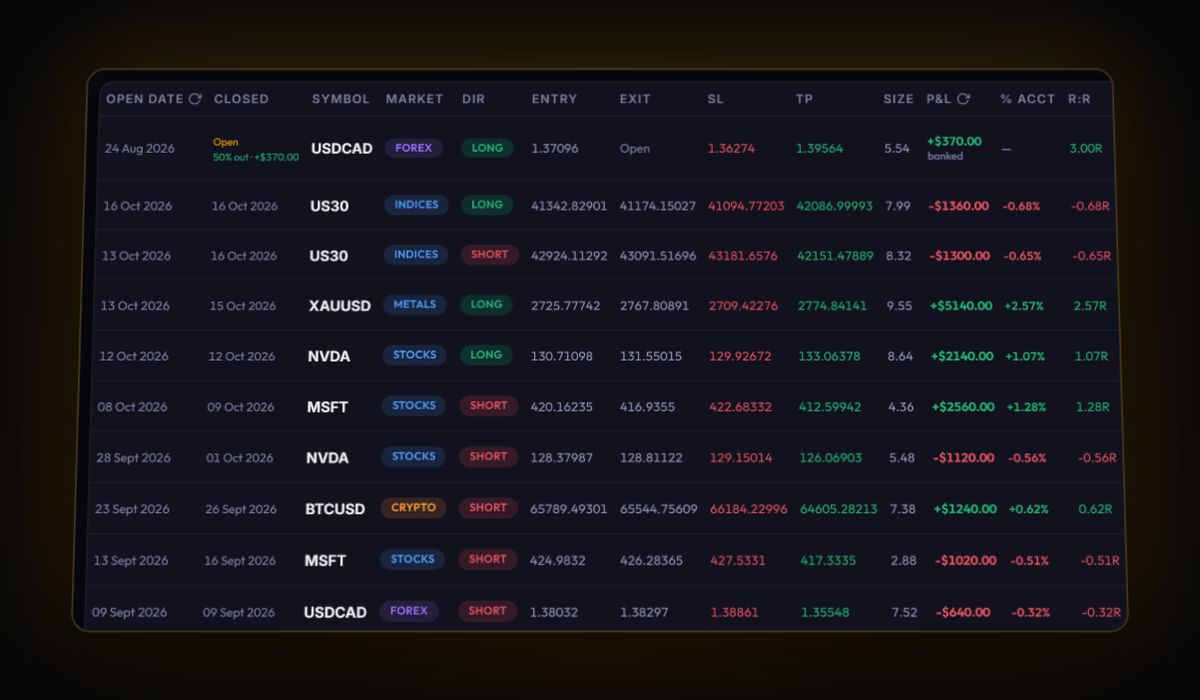
- Fees per contract. On micros, round-trip fees can be a large share of a small winner. Total them for the week.
- Time of day. Futures index traders usually make or lose the week in the first hour after the US cash open.
- Prop rules. If this is a prop account, set its rules in the journal and check room with the prop firm drawdown calculator.
Quick answers
How far back can R|Trader Pro export order history?
Rithmic's release notes say the Order History window fetches a date range of up to one week at a time, so export week by week.
Does Rithmic sync live with the RB Trading journal?
No. Live sync covers MT4, MT5 and cTrader. Rithmic trades come in from an exported file.
Why do I get odd trades after importing Rithmic orders?
The file probably includes orders that never filled. Delete rows whose status is not filled before importing.
Sources
Last checked: 8 October 2026. Brokers move menus and change fees without notice, so confirm the current steps and costs on Rithmic's own site before you rely on them.
Your broker history, finally readable
Import your file, see your R, sessions and fees in one place. The free plan holds 50 trades.
Start free, no card