Sierra Chart's Trade Activity Log, exported properly
Everything you need is in Trade > Trade Activity Log. It has two exports, and they are not the same. File > Save Log As on the Trades tab saves one row per round trip with entry, exit, profit and duration, as tab-delimited text. That is the easy one to journal. File > Export saves raw fills from the Trade Activity tab, in UTC. Both can be imported.
Option A: the Trades tab (round trips)
- Open Trade > Trade Activity Log and switch to the Trades tab.
- Set Date Range to Display > From Date/Time so the log loads every fill you want.
- Untick Edit > Include Begin/End Indicators on Trades List. Sierra Chart support recommends this before saving, and it keeps marker rows out of your file.
- Choose File > Save Log As. You get tab-delimited text of exactly what is on screen.
The Trades tab is built from your fills by first in, first out matching. Sierra also offers Edit > Use Last In First Out Fill Matching and Edit > Flat to Flat Display, which merges scale-ins and scale-outs into one line with average prices. Flat to flat is closer to how most traders think of "a trade". Choose one and stick with it, because switching changes your trade count and win rate.
Columns that matter
| Sierra column | Journal field |
|---|---|
| Symbol | Symbol |
| Trade Type | Direction (Long or Short) |
| Entry Date Time / Exit Date Time | Open and close date |
| Entry Price / Exit Price | Entry and exit |
| Trade Quantity | Size |
| Profit/Loss | Net P&L |
| Commission | Commission (see the warning below) |
Two renames, tested
The journal looks for an exit price in the first column whose name contains "exit", and in Sierra's layout that is Exit Date Time, which comes before Exit Price. We tested it: the exit price filled with a date. Rename the two time columns and the problem goes away:
| Sierra header | Rename to |
|---|---|
| Entry Date Time | Open Time |
| Exit Date Time | Close Time |
Also replace full contract codes like MESZ26 with the root, MES. The journal then files the trade under futures. After both changes our test trades came in with the right direction, prices, size, Profit/Loss and commission.
Sierra also gives you Maximum Open Profit and Maximum Open Loss, which are how far the trade went for and against you. Those are the raw material for MFE and MAE. Keep them in a note if you want them; the journal's mapper does not have a field for them.
Option B: raw fills via Export
File > Export covers the Trade Activity tab only and writes a tab-delimited file to the SavedTradeActivity folder. Sierra's documentation says fill times are written in UTC and prices are unadjusted. It is a complete audit trail, but for journaling futures the Trades tab is better, because it carries the dollar result and the journal's generic fill pairing does not apply contract point values.
Display time and export time can differ. The Trades tab shows times in your Global Time Zone setting; Export writes UTC. If you mix the two files on one account, your times will not match.
The commission warning
Sierra Chart's Commission column is not your broker's commission. Sierra calculates it from the Round Turn Commission you enter in Global Settings > Symbol Settings, multiplied by quantity, and only when Use Commission is on. If you never set it, it is zero. If you set it a year ago and your broker changed rates, it is wrong. Check it against a broker statement, such as an AMP daily statement.
The journal accepts .txt files and detects tab delimiters. The renamed Trades tab file imports as finished trades with Sierra's dollar Profit/Loss. A raw fills export is paired first in, first out, but for a generic file the journal calculates P&L as points times contracts, not dollars, so use the Trades tab for futures. No live sync for Sierra Chart.
What to look at once it is in
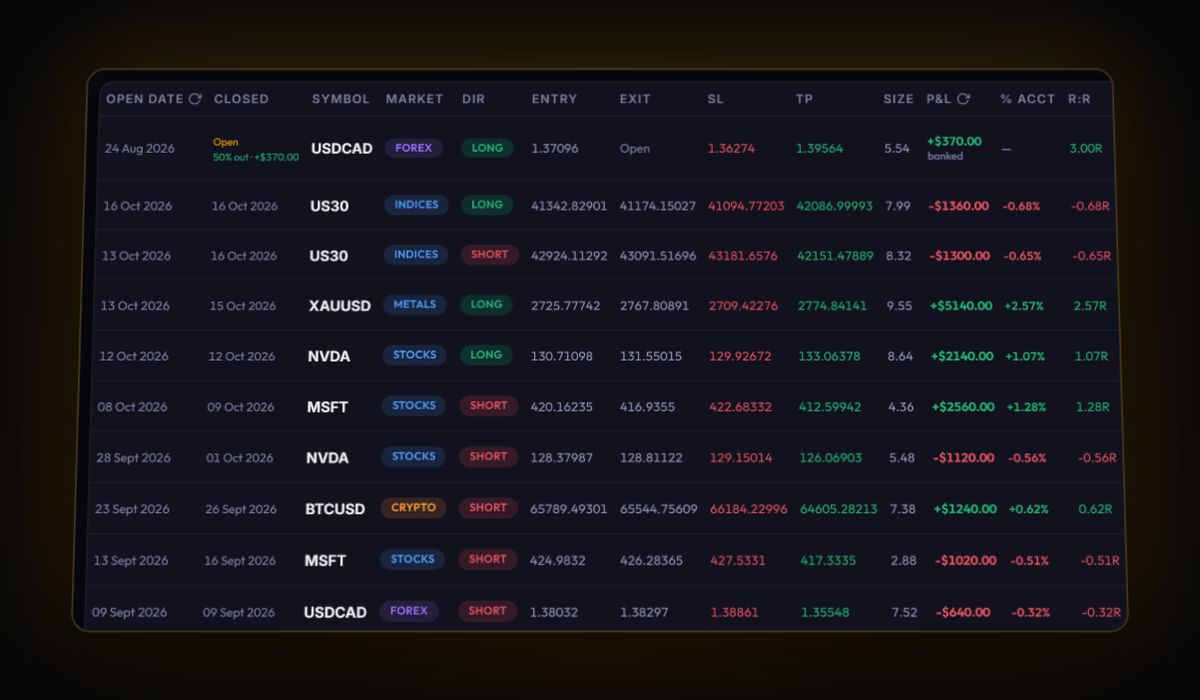
- Exit efficiency in R. Add your stops, then compare what you took with Maximum Open Profit. That gap is money you left on the table.
- Session. If you imported fills in UTC, the session view is exact.
- Fees after you fix them. Total commission against gross profit, once the numbers are real.
Quick answers
How do I export trades from Sierra Chart?
Open Trade, Trade Activity Log, go to the Trades tab and use File, Save Log As for round trips. File, Export saves raw fills from the Trade Activity tab in UTC.
Is the commission in Sierra Chart's trade log accurate?
Only if you set it. Sierra calculates it from the Round Turn Commission in Symbol Settings, not from your broker. Check it against your statement.
What time zone does Sierra Chart export use?
File, Export writes fill times in UTC. Save Log As keeps the times as displayed, in your Global Time Zone setting.
Sources
Last checked: 8 October 2026. Brokers move menus and change fees without notice, so confirm the current steps and costs on Sierra Chart's own site before you rely on them.
Your broker history, finally readable
Import your file, see your R, sessions and fees in one place. The free plan holds 50 trades.
Start free, no card