Webull orders into a trading journal, cleanly
Webull exports your orders, not your trades, and it emails them to you. On desktop: Account, the Orders widget, the three-line settings icon, Export Orders. On mobile: Account, your account, History, Export Orders. A CSV arrives from Webull within about five to ten minutes. It includes cancelled and failed orders, so clean it before you import, then the journal pairs the fills into trades.
Exporting
Desktop
- Open Account and find the Orders widget.
- Click the settings icon, three lines at the top right.
- Choose Export Orders, confirm the email address, and click Ok.
Mobile
Account > select the account > History > the download icon at the top right (Export Orders) > Submit.
Webull says the file covers all orders: filled, partially filled, pending, working, cancelled and failed. It does not document a date range limit or the column list, so look at your own file before importing.
Cleaning the file
Three quick edits in a spreadsheet make the import reliable:
- Keep only filled orders. Filter the status column and delete everything that is not Filled. A cancelled sell left in the file can be paired with a real buy if it still shows a quantity.
- Check the price column. If there is both a limit price and an average fill price column, the fill price is the one that matters. The journal looks for an average or fill price first.
- Fix the time column. Webull times can carry a time zone label after the time, like EDT. Remove it and format the column as a plain date and time.
Fix the dates before you import. The journal reads dates like 2026-10-01 09:31:00 reliably. US style dates with a time attached, such as 10/1/26 09:31:00, can come through unreadable, which breaks calendar and session stats. In Excel or Google Sheets, select the date column and apply the custom format yyyy-mm-dd hh:mm:ss, then save as CSV.
How the journal pairs Webull orders
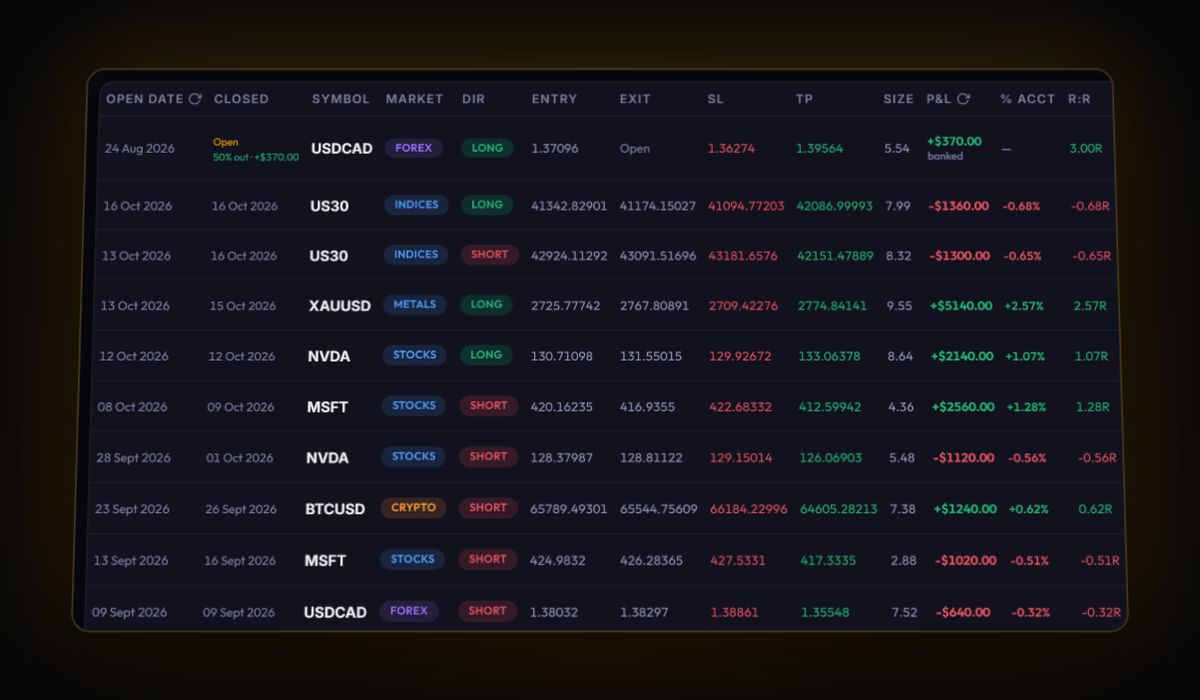
A file with a side, a price and a quantity column is treated as fills. The journal pairs buys and sells first in, first out per symbol into round trips and works out P&L from the prices. Anything left unmatched stays as an open position. In our test, a buy of 10 shares at 150 and a sell at 155 came out as one trade worth 50 dollars, and a cancelled order with no fill price was skipped. No live sync for Webull.
Partial fills
If an order filled in pieces, Webull still shows it as one order with the filled quantity and an average price. That is fine for the journal. A trade you exited in two separate orders becomes two trades, each with its own result. If you think of it as one idea, give both the same setup tag.
Options and short sales
Webull does not document how options appear in the orders export. If your file has option symbols, check one trade: the journal calculates P&L from prices and quantity, so an option without a multiplier will show per-share P&L. Short sales pair the same way as longs, sell first, buy to cover.
What to look at once it is in
- Trades per day. Commission-free apps make overtrading easy. Compare days with more than five trades to quieter days.
- The first 30 minutes. Many Webull day traders do most of their damage at the open. The time-of-day heatmap shows it.
- Position size. Plan the next trade from your stop with the position size calculator.
Paper trading exports
Webull's paper trading has its own orders history. If you practise there, export it to a separate journal account. Paper results are useful for testing a setup, but mixing them with real trades makes every stat meaningless.
Quick answers
How do I export my trades from Webull?
On desktop open Account, the Orders widget, the three-line settings icon, then Export Orders. On mobile go to Account, History and the download icon. Webull emails a CSV.
Why does my Webull export include cancelled orders?
Webull's export covers every order status. Delete everything except Filled before importing so only real executions are paired.
Can Webull sync automatically with the RB Trading journal?
No. Webull trades come in from the emailed CSV.
Sources
Last checked: 8 October 2026. Brokers move menus and change fees without notice, so confirm the current steps and costs on Webull's own site before you rely on them.
Your broker history, finally readable
Import your file, see your R, sessions and fees in one place. The free plan holds 50 trades.
Start free, no card