AMP Futures: export from your platform, check against the statement
AMP is a futures broker with its own clearing firm, and it supports more than fifty platforms. Its statements come from the client portal as PDFs, which a journal cannot read as trades. So the trades come from the platform you trade on, and the AMP daily statement becomes your fee check: it itemises commission, exchange, NFA, clearing, platform and data fees, which most platform exports leave out.
Step 1: export trades from your platform
Pick the guide for the platform you actually click buy on:
- Sierra Chart: Trade Activity Log, Trades tab or raw fills.
- Quantower: Trades panel, Export Data (not on CQG connections).
- R|Trader Pro: Order History, a week at a time.
- NinjaTrader: Trade Performance executions.
- MetaTrader 5 at AMP: the MT5 History report, or live sync with RBSync.
MT5 is the one AMP route with live sync. If you trade AMP through MT5, the read-only RBSync EA sends each closed trade to the journal on its own.
Step 2: get the daily statement
- Log in to the AMP client portal.
- Open Document Center > Account Statements.
- Click View on the day you want, then the download arrow to save the PDF.
AMP says daily statements are typically in the portal around 2 to 3 AM Central time, and they are also emailed on days with trading or funding activity. Tax forms are under Document Center > Tax Forms.
What is on the statement
AMP's daily client report has four parts: trade executions, account balances with realised and unrealised P&L, fees and charges, and margin requirements. The fees section is the valuable one. AMP itemises it by category:
| Fee | What it is |
|---|---|
| Commission | AMP's charge per contract |
| Exchange fees | The exchange's charge, CME and others |
| NFA fees | The regulator's small per-contract fee |
| Clearing fees | The clearing charge per contract |
| Platform fees | The cost of your trading software, if billed through AMP |
| Market data fees | Exchange data subscriptions |
Step 3: make your journal's fees honest
Most platform exports show either no commission or a figure the platform calculated from a rate you typed in once. Here is how to fix that with the statement:
- Add commission, exchange, NFA and clearing fees for one day. Divide by the number of contracts traded that day, round trip. That is your true all-in cost per contract.
- Set that per-contract cost in your platform before exporting (Sierra Chart: Round Turn Commission in Symbol Settings), or add it to the trades in the journal.
- Treat platform and data fees as monthly overhead. They do not belong on a single trade, but they belong in your monthly review.
Example with made-up round numbers: a day with 40 round-trip contracts and 98 USD of trade fees in total is 2.45 USD per contract all in. On a micro index contract where a 2 point win is worth 10 USD, a quarter of that win goes in fees.
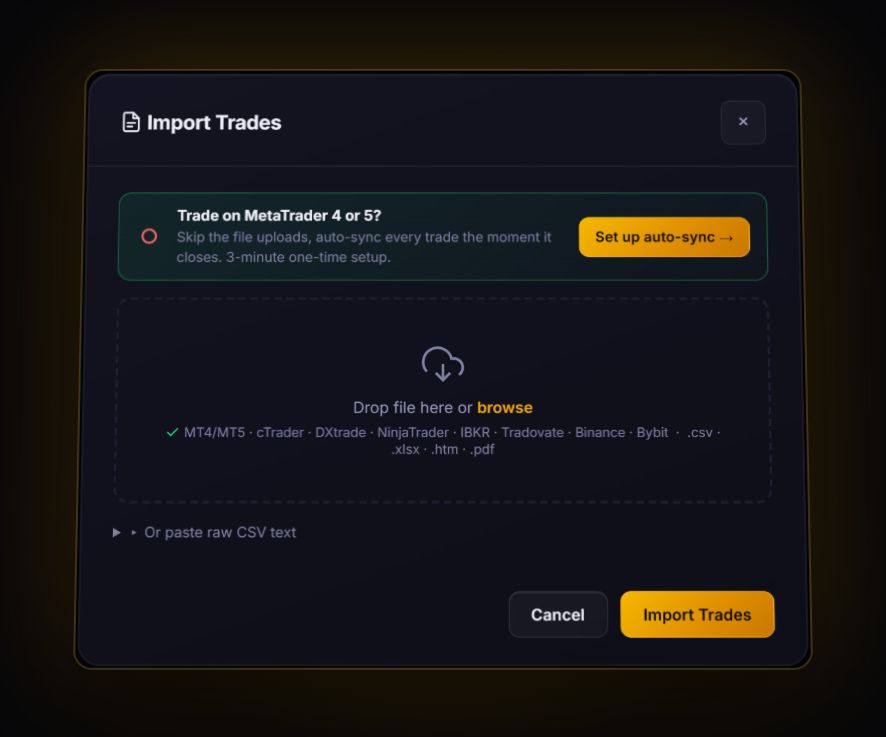
Import your platform's file using the guide for that platform. For futures, prefer files that carry a dollar result per trade: the journal applies contract point values automatically only for NinjaTrader executions and Trading Technologies fills. AMP's PDF statement is not importable, but it is the source of truth for fees. MT5 at AMP can sync live with RBSync.
Monthly review for AMP traders
- Gross P&L, minus trade fees, minus platform and data overhead. That last line is your real month.
- Fees per contract over time. If it rises, check whether you moved to a different product.
- Drawdown in R, not dollars. Our drawdown guide explains why.
Check the journal against the statement once a week
Pick one day each week. Take the realised P&L on AMP's daily statement and the net P&L the journal shows for the same day. If they match within a few cents of rounding, your imports are complete and your fee setting is right. If the journal shows more profit, a fee is missing; if fewer trades appear, a file is missing. Five minutes a week keeps a year of data honest.
Quick answers
Can I import AMP Futures statements into a trading journal?
AMP statements are PDFs, so they are not importable as trades. Export trades from your trading platform and use the AMP statement to check fees.
Where do I find AMP Futures daily statements?
In the AMP client portal under Document Center, Account Statements. Click View, then the download arrow.
Which AMP platform can sync live with the RB Trading journal?
MetaTrader 5. The read-only RBSync EA syncs MT5 accounts. Other platforms use file exports.
Why does my platform's P&L differ from the AMP statement?
Platforms often show gross results or use a commission rate you typed in. The AMP statement includes every exchange, NFA, clearing and commission charge, so treat it as the final figure.
Sources
Last checked: 8 October 2026. Brokers move menus and change fees without notice, so confirm the current steps and costs on AMP Futures's own site before you rely on them.
Your broker history, finally readable
Import your file, see your R, sessions and fees in one place. The free plan holds 50 trades.
Start free, no card