Interactive Brokers into a journal: the Activity Statement route
For a journal, the IBKR file you want is the Activity Statement in CSV: Performance & Reports > Statements, run Activity for your dates, choose CSV. The RB Trading journal has a dedicated IBKR parser for it. It finds the Trades section, pairs your executions into trades, and uses IBKR's own Realized P/L and Comm/Fee, so futures and stocks come out in real dollars. One step people miss: choose Interactive Brokers as the format when you import.
Running the Activity Statement
- In the Client Portal open Performance & Reports > Statements (on the newer menu: Reporting > Statements).
- In Run a Statement, pick Activity.
- Choose the period. Daily, monthly, or a custom range.
- Choose CSV as the format and run it.
The file is not a simple table. It is a stack of sections, each line starting with the section name: Statement, Account Information, Net Asset Value, Trades, Fees and so on. Do not edit it. The parser skips everything except Trades, and it handles several Trades sections when you trade more than one asset class.
Importing it correctly
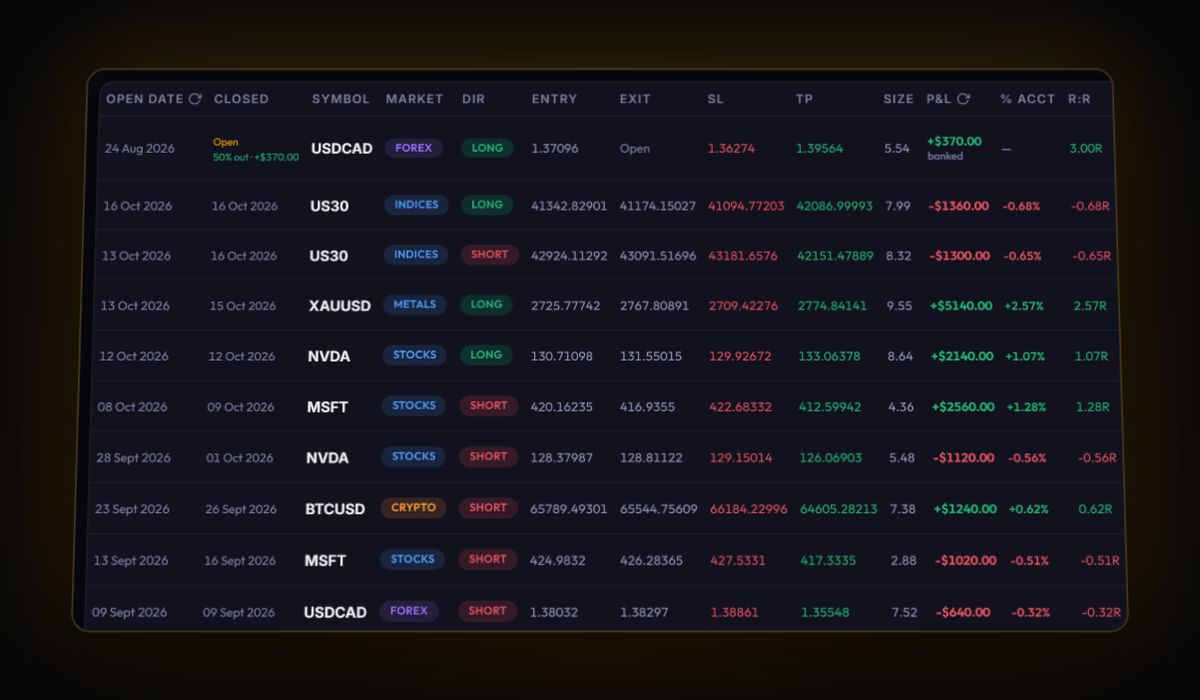
Drop the CSV into Import, then open Or paste raw CSV text and set Platform Format to Interactive Brokers (IBKR) before you press Import Trades. The first line of an Activity Statement is the statement header, not the trade header, so auto-detect may not spot it. With IBKR selected, the parser reads the Trades section, pairs fills first in, first out, and keeps IBKR's realised P&L and commission.
We tested this route on a statement laid out the way IBKR structures it: a stock round trip and a micro futures round trip came out with the right entry, exit, size, commission and IBKR's realised P/L. Positions still open at the end of the period stay open in the journal.
The Trades section columns
| IBKR column | Journal field |
|---|---|
| Asset Category | Market (stocks, futures, forex, options) |
| Symbol | Symbol |
| Date/Time | Fill time |
| Quantity | Size; negative means a sell |
| T. Price | Fill price |
| Comm/Fee | Commission |
| Realized P/L | Net P&L of the closing fill |
Flex Queries and the TWS Trade Log
IBKR itself recommends Activity Flex Queries when a program needs a fixed format. A Flex Query lets you pick the Trades section fields (Symbol, Trade Date, Trade Time, Quantity, Trade Price, Multiplier, IB Commission, Realized PNL and many more) and deliver them as CSV. The catch for our journal: the dedicated parser is built for the Activity Statement's column names, and a Flex file has different ones. In our test, a Flex style file came in as one row per execution rather than paired trades. Use the Activity Statement unless you have a reason not to.
The TWS Trade Log exports today's or previous days' executions as a text file from File > Export. It is handy for a quick end-of-day review but only covers recent days.
IBKR gotchas
- Commission in the P&L. IBKR nets commission into realised P&L. The journal keeps the commission figure separately for your fee stats, so check one trade to confirm your net figure matches IBKR's.
- Options. IBKR carries a multiplier for options and futures. Realised P/L already reflects it, which is why the journal uses IBKR's figure rather than recalculating.
- Time zone. IBKR does not state the zone of statement timestamps in the guides we checked. Compare a fill you remember with the journal and set your time zone in settings.
- Long ranges. A year of active trading makes a big file. Run quarters.
What to look at once it is in
- Commission by asset class. Stocks on tiered pricing, options per contract, futures per contract: compare the share of gross profit for each.
- Holding time. IBKR accounts often mix day trades and swing trades. Split them by duration.
- R. Statements do not carry your stops. Add them on the trades you review. The R-multiple calculator shows the maths.
Quick answers
What is the best way to export trades from Interactive Brokers for a journal?
Run an Activity Statement in CSV from Performance and Reports, Statements. The journal's IBKR parser reads its Trades section directly.
Why did my IBKR file not import automatically?
An Activity Statement starts with statement header lines, so select Interactive Brokers (IBKR) as the platform format before importing.
Can I use an IBKR Flex Query instead?
You can, but the journal's IBKR parser is built for the Activity Statement layout. A Flex file arrives as single executions rather than paired trades.
Sources
- IBKR guides: run a statement
- IBKR guides: Activity Flex Query
- IBKR guides: Flex Trades section fields
- IBKR guides: TWS Trade Log
Last checked: 8 October 2026. Brokers move menus and change fees without notice, so confirm the current steps and costs on Interactive Brokers's own site before you rely on them.
Your broker history, finally readable
Import your file, see your R, sessions and fees in one place. The free plan holds 50 trades.
Start free, no card