tastytrade history into a journal, options included
tastytrade traders live in options, and options are where journal imports go wrong. Export your transactions as CSV from the History area, check that it has an action, a quantity and a price column, and the journal pairs opens with closes. Then check one option trade by hand: the journal calculates P&L from prices, so the contract multiplier is the thing to verify.
What tastytrade documents
We could not load tastytrade's help articles in full, so here is what we could confirm from its official support pages, and what comes from elsewhere.
- Official: my.tastytrade.com > My Accounts > Tax Center has a Year-to-Date Data Export section that downloads a CSV.
- Official: tastytrade's support has an article on the History tab.
- From third-party journal guides, not tastytrade: on the desktop platform, History > Transactions, turn off year-to-date, set a date filter, then press the CSV button. Those guides list columns such as Date, Type, Action, Symbol, Instrument Type, Description, Value, Quantity, Average Price, Commissions, Fees, Multiplier, Expiration Date, Strike Price, Call or Put.
Reading opening and closing actions
Options brokers describe each fill with an action like buy to open, sell to close, sell to open or buy to close. The journal reads any action containing buy as a buy and any containing sell as a sell, then pairs them first in, first out per symbol. A short put opened with sell to open and closed with buy to close becomes one short trade. That works because each option has its own symbol with strike and expiry, so different strikes never pair with each other.
Expirations and assignments
An option that expires worthless has no closing trade. It may appear as a separate expiration row, or not as a trade at all. If no closing fill is in the file, the journal keeps the position open. Close it by hand at zero, which for a short option is a full win and for a long option a full loss. Tradervue has also warned that expirations of short options held to expiry can be recorded on the wrong side in tastytrade exports. Check expiry trades one by one.
The multiplier check
A standard equity option controls 100 shares. If you buy a call at 1.20 and sell it at 1.80, the price moved 0.60 and you made 60 dollars per contract. A fill-pairing import that does not apply the multiplier records 0.60. The journal calculates P&L for paired fills from price and quantity, so check your first imported option trade. If it is 100 times too small, edit P&L on option trades. If your file has a cash value column, it shows the money that actually moved, which is a quick way to check.
Futures and futures options have their own multipliers too. The same check applies.
Fees
tastytrade exports show commissions and fees per transaction, so an opening fill and a closing fill can carry different amounts. Look at the journal's total commission after import against the sum of the Commissions and Fees columns in your file. If they differ, the fees are sitting on rows the journal did not pair, such as expirations.
Fix the dates before you import. The journal reads dates like 2026-10-01 09:31:00 reliably. US style dates with a time attached, such as 10/1/26 09:31:00, can come through unreadable, which breaks calendar and session stats. In Excel or Google Sheets, select the date column and apply the custom format yyyy-mm-dd hh:mm:ss, then save as CSV.
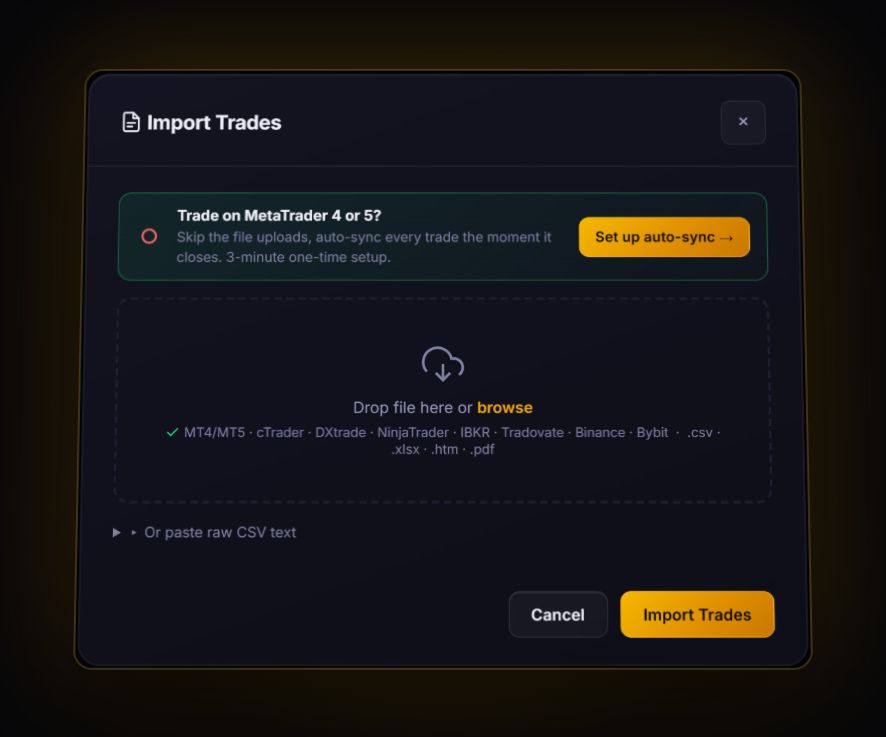
Import the CSV. With action, quantity and price columns it is read as fills and paired first in, first out per symbol. Positions without a closing fill stay open until you close them. No live sync for tastytrade.
What options traders should review
- Win rate against average loss. Premium sellers often win 70% or more of trades and still lose money on a few big losers. The average loss tells the real story.
- Days to expiry at entry. Tag it. Many traders find one range works and another does not.
- R per trade. For defined-risk spreads, the max loss is your 1R. Read our R-multiple guide.
Quick answers
How do I export transactions from tastytrade?
Third-party guides describe the desktop History, Transactions view with a CSV button after setting a date filter. tastytrade's Tax Center also offers a Year-to-Date Data Export as CSV.
Why is my tastytrade option P&L 100 times too small?
Paired fills are calculated from price and quantity. Equity options have a 100 multiplier, so edit P&L on option trades, using the cash amounts in your file as the check.
What happens to options that expired in the journal?
If the file has no closing fill, the position stays open. Close it by hand at zero.
Sources
Last checked: 8 October 2026. Brokers move menus and change fees without notice, so confirm the current steps and costs on tastytrade's own site before you rely on them.
Your broker history, finally readable
Import your file, see your R, sessions and fees in one place. The free plan holds 50 trades.
Start free, no card