Pepperstone on five platforms, one honest journal
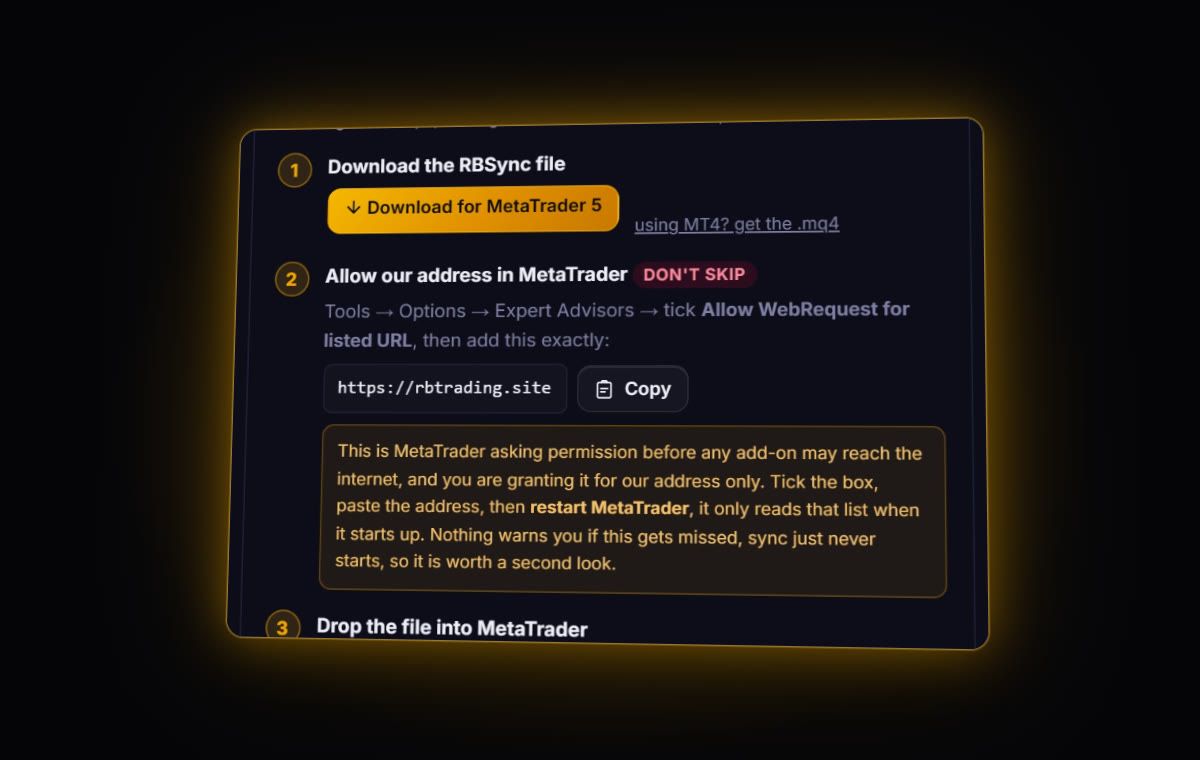
Pepperstone lets you trade the same Razor account through MT4, MT5, cTrader, TradingView or its own platform. For a journal, that choice decides everything. MT4, MT5 and cTrader sync live with RBSync. TradingView and the Pepperstone platform have no live route, so you bring in a file. Pick one platform per account if you can: it keeps your history in one place.
Platform by platform
| Platform | Journal route | Razor commission as Pepperstone lists it |
|---|---|---|
| MT4 / MT5 | Live sync with the RBSync EA, or the terminal report | From USD 3.50 per lot per side, set by account currency |
| cTrader | Live sync with the RBSync cBot, or the History CSV | 6 USD round trip per unit |
| TradingView | File only | 7 USD round trip per unit |
| Pepperstone platform | File only, from Portfolio | 3.5 USD per standard lot per side |
Read that middle and right column together. The same EURUSD lot can cost a different amount depending on where you click buy. If you switch platforms halfway through a month, your journal's fee stats will move for reasons that have nothing to do with how you trade.
Exporting from each platform
MT4 and MT5
MT4: Terminal > Account History, right-click, choose the period, then Save as Report. MT5: Toolbox > History, switch to Positions, right-click > Report > HTML or Excel. The journal reads both.
cTrader
In the History tab, use Statement to open an HTML or Excel statement and save it. cTrader's history has separate Swap and Commissions columns and a Net (USD) column. The journal uses the net figure as your P&L, not the gross.
Pepperstone platform
Pepperstone's help also describes Portfolio > Account Statements, where you set From and To dates and press Generate Statement. It shows a financial summary, orders and positions on screen. Pepperstone does not document a file format for either view, so if you cannot download a CSV, copy the trade table into a spreadsheet, save it as CSV, and use the column mapper.
TradingView
Our TradingView guide covers the Trading Panel export. One Pepperstone-specific note: Pepperstone says TradingView only displays the swap charge after it has been applied, so a trade closed before rollover will never show one.
Archived accounts
If an old MT4 account has been archived, its history is gone from the terminal. Pepperstone says reactivation is only available for generating trading statements on request, through support. Ask for the full history as an MT4 statement and import the HTML. Do this before you start comparing this year with last year.
Time zones
Pepperstone sets server time to GMT+3 while US daylight saving is in place and GMT+2 the rest of the year, so the daily candle closes with New York. File imports keep the server timestamps. Live sync converts them to UTC using the offset the EA sends. If you mix both routes on one account, check a trade that came by file against the same trade on your chart.
What to review once it is in
- Fees by platform. Tag trades with the platform you used and compare commission per lot.
- Financing on swing trades. Pepperstone charges financing on positions held past 5 PM New York time. Look at net against gross on anything held overnight.
- R, not dollars. MT and cTrader history keep your stop, so R works right away. Check one with the R-multiple calculator.
Before you change platforms
If you are about to move from MT4 to cTrader or TradingView, export a full MT4 report first and import it, so the journal has your complete history on one account. Then point the new platform's route at the same journal account, or start a new one if you want a clean comparison. The second option is often more useful: it shows whether the move changed your results, not just your fees.
Quick answers
Which Pepperstone platforms can sync live to a journal?
MT4, MT5 and cTrader, through the read-only RBSync add-on. TradingView and the Pepperstone platform need a file export.
How do I get history from an archived Pepperstone account?
Contact Pepperstone support. Archived accounts can be reactivated only to generate trading statements, which you can then import.
Is Pepperstone Razor commission the same on every platform?
Pepperstone lists different figures by platform: from USD 3.50 per lot per side on MT4 and MT5, 6 USD round trip on cTrader and 7 USD round trip on TradingView.
What time zone is Pepperstone server time?
Pepperstone sets server time to GMT+3 while US daylight saving is in place and GMT+2 otherwise, so the daily candle closes with New York.
Sources
- Pepperstone: costs and fees
- Pepperstone: generating an account statement (web platform)
- Pepperstone: archived account history
- Pepperstone: trading hours and server time
Last checked: 8 October 2026. Brokers move menus and change fees without notice, so confirm the current steps and costs on Pepperstone's own site before you rely on them.
Your broker history, finally readable
Import your file, see your R, sessions and fees in one place. The free plan holds 50 trades.
Start free, no card