Vantage trading journal: get your history before it archives
Vantage runs MT4 and MT5, so the cleanest route is live sync with RBSync. If you export instead, Vantage's help centre says to use the desktop MT4 or MT5 app: account history, right-click, custom period, then download the report as HTML. And if you trade a MT4 cent account, act soon: Vantage says that history is archived automatically every 14 days.
The cent account archive
Vantage's help centre notes that MT4 cent account history is archived automatically every 14 days and may not appear in monthly statements, with support handling requests for older records. In practice: if you rely on exporting once a month from a cent account, half your month may be gone from the terminal by the time you look.
Two fixes. Run RBSync, which captures each trade as it closes, so nothing depends on what the terminal still shows. Or export every week. Either way, if you already lost history, email Vantage support for the records and import the statement they send.
Exporting from desktop MetaTrader
Vantage's steps, quoted from its help centre: navigate to account history, right-click on the window, select custom period, choose the statement period and click OK, then right-click to download the report.
The Vantage app shows Position History with a date filter, which is fine for a quick look but has no documented export. The client portal's transaction history covers funds only. So for a file, it is desktop MetaTrader or nothing.
Statements Vantage emails you
Vantage sends a daily statement only on days your MT4 or MT5 account has trading activity, and a monthly statement on the 1st of each month regardless. These are useful as a cross-check: if the journal's total for a month differs from the monthly statement's closed P&L, a file is missing.
Fees on RAW ECN
Vantage lists RAW ECN commission at USD 6 per standard lot round turn, USD 3 per side, metals included, and PRO ECN from USD 1.50 per side. MetaTrader puts commission and swap on the trade, and the journal reads them from the report and from live sync.
Cent accounts and size
On a cent account, balances and P&L are in cents. A 1,000 cent profit is 10 dollars. Create a separate journal account for it and set the currency to match, so your cent results never get added to a dollar account's equity curve.
Server time
Vantage's pages are not fully consistent here. One help article mentions GMT+2; another says 00:00 server time lines up with the New York close, which means GMT+2 in winter and GMT+3 in summer. Live sync avoids the question: the EA reports the offset and the journal stores UTC.
Live: RBSync EA on MT4 or MT5, including cent accounts. File: the desktop MT HTML report or MT5 Excel report, read directly by the journal's MetaTrader parser.
What to look at once it is in
- Commission share. USD 6 a lot is small per trade and large across hundreds. Check it against gross profit.
- Win size against loss size in R. Use the R-multiple calculator to sanity check one trade.
- Cent to standard step-up. If you moved from cent to standard, compare the same setups across both. Behaviour often changes when the money becomes real.
What live sync picks up on day one
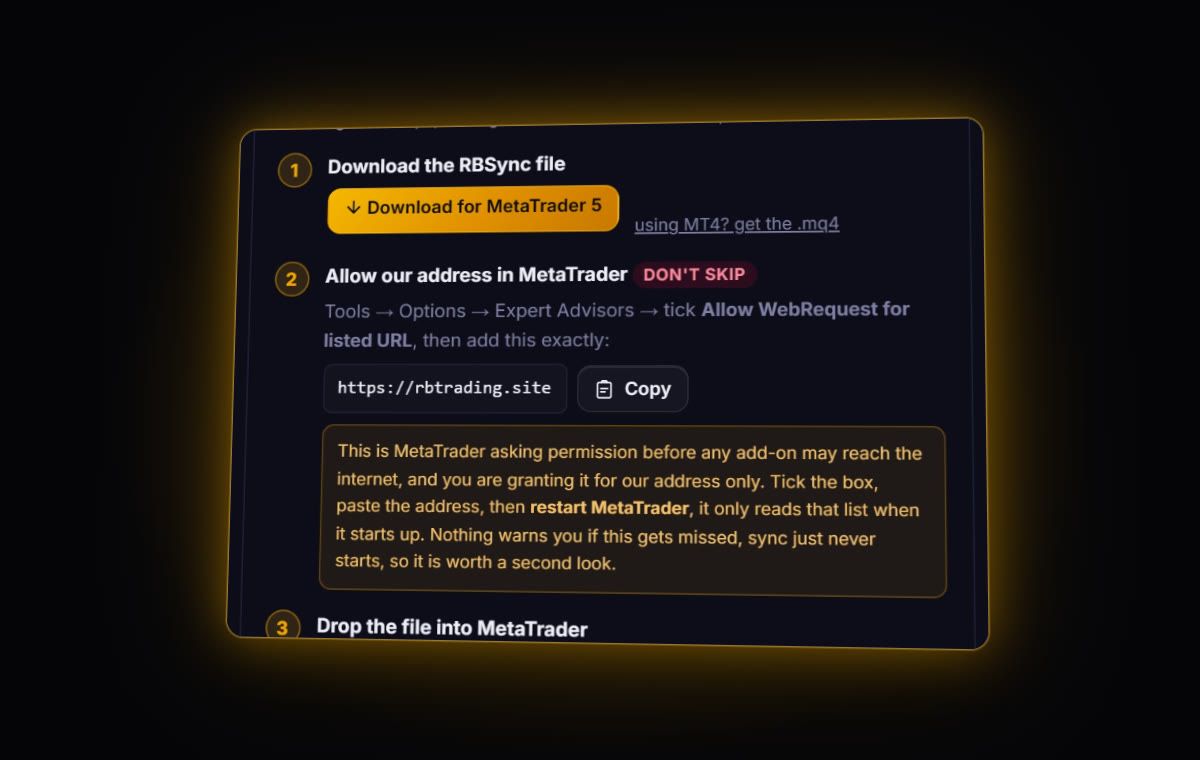
When you first start the RBSync EA, it does not only wait for new trades. By default it sends up to five years of the closed history your terminal can see. On a cent account that means whatever has not yet been archived, so start it sooner rather than later. Anything older than the archive point has to come from Vantage support as a statement, which you then import as a file.
Quick answers
How do I export my Vantage trade history?
Use desktop MT4 or MT5: account history, right-click, Custom Period, choose dates, OK, then right-click to download the report as HTML.
Why is my Vantage cent account history missing?
Vantage says MT4 cent account history is archived automatically every 14 days. Contact support for older records, or sync live so trades are captured as they close.
Can Vantage sync to a journal live?
Yes. Vantage MT4 and MT5 accounts sync through the read-only RBSync EA.
Does Vantage email trade statements?
Yes. Vantage sends a daily statement on days with trading activity and a monthly statement on the 1st of each month.
Sources
- Vantage help: download a statement from MT4 / MT5
- Vantage help: when will I receive my account statements
- Vantage help: cent account history
- Vantage: RAW ECN account
Last checked: 8 October 2026. Brokers move menus and change fees without notice, so confirm the current steps and costs on Vantage's own site before you rely on them.
Your broker history, finally readable
Import your file, see your R, sessions and fees in one place. The free plan holds 50 trades.
Start free, no card