Bybit trading journal: Closed P&L, the transaction log and net R
Bybit keeps everything in one place: Profile › Account › Data Export. Pick Spot Order and Trade History for spot, the USDT Perpetual Order, Trade and Closed P&L History for perps, and the Transaction Log for funding. Files cover up to 12 months, arrive by email in one to three days, and are CSV. The journal reads Bybit exports through its crypto import and pairs fills into trades.
Last checked: 8 October 2026. Exchange menus, fees and rules change, so confirm on the exchange’s own site before you rely on them.
Bybit’s export is generous once you know where it lives, and it gives you something many exchanges do not: a Closed P&L history with one row per closed position. That makes it the quickest route to a clean journal, as long as you also pull the funding from the transaction log, because Closed P&L alone can make a held position look cheaper than it was.
The full export, step by step
- On the website, hover over your profile and choose Account › Data Export. You can also reach it from Assets › Funding Account › History › Data Export.
- Choose Order History, then the product: Spot Order and Trade History, USDT Perpetual Order, Trade and Closed P&L History, the USDC Perpetual or USDT Futures versions, or Inverse Contract Trade History, Closed P&L.
- Pick 7, 30 or 90 days, or a custom range of up to 12 months.
- Submit. Processing takes one to three days. Bybit emails you when the file is ready and the link stays valid for 7 days.
The Data Export page is web only, needs a verified account, and allows 50 exports a month across all types. Order history and transaction logs come as CSV. The account statement is a PDF.
The quick export for recent trades
If you only need recent trades, go to Orders › Unified Trading Order, open the product’s History tab and click Export. It is instant but capped at 10,000 rows, with 10 spot and 5 derivatives export requests a day. Good for a weekly journal update.
Funding lives in the transaction log
For your Unified Trading Account, funding shows up as balance changes in the Transaction Log. Export it from Data Export, or from Assets › Unified Trading Account › History Records › Transaction Log › Export, which is limited to 6 months per export, 10,000 rows and 5 requests a day.
Bybit funding defaults to every 8 hours, at 00:00, 08:00 and 16:00 UTC. Some contracts use 1, 2 or 4 hour intervals, new listings often start at 4 hours, and the interval can shorten to hourly when the rate hits its cap. On a crowded coin the cost of holding can speed up while you are in the trade.
A Closed P&L row says you made +184 USDT on a SOL perpetual long held for two days. Your stop risked 80 USDT, so the row suggests 2.30R.
The transaction log shows six funding charges on that position: −1.90, −2.40, −3.10, −4.20, −4.80, −5.60. Rates rose as the long side got crowded. Total −22.00 USDT.
Net result: 162 USDT, or 2.03R. More than a quarter of an R went to funding, and the trend in those six numbers is something worth noting in the journal: you were paying more to stay in the longer the trade went on.
Which file should go into the journal?
| Bybit file | Use it for | Watch out for |
|---|---|---|
| Trade history (fills) | Exact entries, exits and fees; the journal pairs them | Many rows per idea when you scale in or out |
| Closed P&L | One realised result per closed position | Partial closes create several rows for one trade |
| Transaction log | Funding, plus every other balance change | Needs matching to positions by symbol and time |
Our suggestion: import the trade history so entries and exits are exact, then add the funding total from the transaction log to each trade you held through funding.
In the RB Trading journal
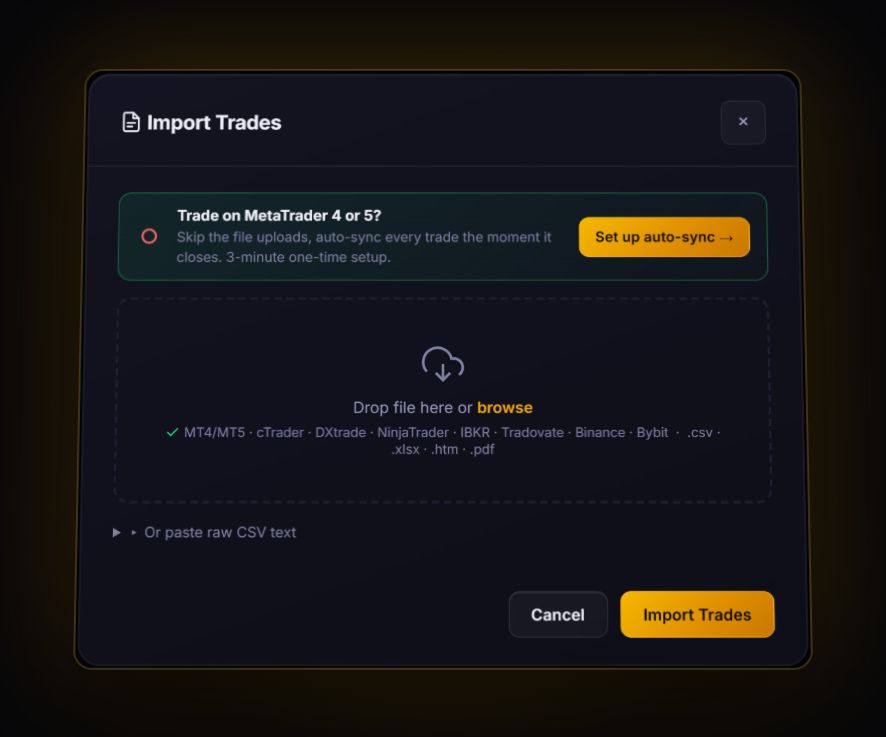
- Bybit is a named source. The CSV paste box has a Binance / Bybit (Crypto) option, and the file import accepts Bybit fill exports and pairs buys and sells first in, first out into round trips. Unmatched fills show as open positions.
- Funding has a field. Each trade has a swap field for carry costs. Put the funding total there and your net P&L and R include it.
- The cost preset for manually logged trades defaults to 0.055% per side taker plus 0.01% funding per 8 hours. Check your own fee tier on Bybit’s fee page and switch to Custom if it differs.
- Partial closes fold into one trade, with R weighted across every exit on the risk at entry.
Bybit lists the United States and Canada among its restricted countries. Check the current list on Bybit’s site.
Bybit journal questions
How do I export my Bybit trade history?
On the website, go to Profile, Account, Data Export, choose Order History and the product, then pick a range of up to 12 months. The file arrives by email within one to three days and the link lasts 7 days.
Where is funding in a Bybit export?
In the Transaction Log of your Unified Trading Account, not in the Closed P&L history. Export it and add the funding for each position to its result.
Can I export Bybit history from the app?
The full Data Export page is web only. For recent trades, the History tab under Unified Trading Order has an instant export capped at 10,000 rows.
Sources
Track it in a journal that does the maths
Log the trade once. R, fees and the weighted average entry are worked out for you.
Start free, no card