Crypto trading journal guides, exchange by exchange
A crypto journal has to solve three problems a stock or forex journal does not: every exchange exports history differently, perpetual futures charge funding that rarely appears in the trade file, and leverage makes percentage returns meaningless. These guides cover each major exchange’s real export path and the maths for measuring every trade in R, net of costs.
Last checked: 8 October 2026. Exchange menus, fees and rules change, so confirm on the exchange’s own site before you rely on them.
Start with the concepts
Exchange guides
Where each exchange keeps the three files you need
To journal a crypto trade fully you want the fills (exact prices and fees), the realised result per position, and the funding. Here is where each one lives.
| Exchange | Fills or orders | Closed result | Funding |
|---|---|---|---|
| Binance | Spot Trade History export | Futures Transaction History | Futures Transaction History |
| Bybit | Data Export, order and trade history | Data Export, Closed P&L | Transaction Log |
| Coinbase | Custom statement (CSV) | Derivatives statement | Funding column on positions |
| Kraken | Documents, Trades | Derivatives account log | Derivatives account log |
| OKX | Trading history | Position history | Position history |
| Bitget | Order history download | Order history download | Futures transaction history |
| KuCoin | Order Center export (spot) | Futures PnL History | Futures positions history |
| MEXC | Futures order export | Position history export | Capital Flow |
| Hyperliquid | Trade History CSV or API | Closed P&L on fills | Funding History or API |
| Deribit | Transaction log | Transaction log | Settlement rows in the log |
What the RB Trading journal does with crypto
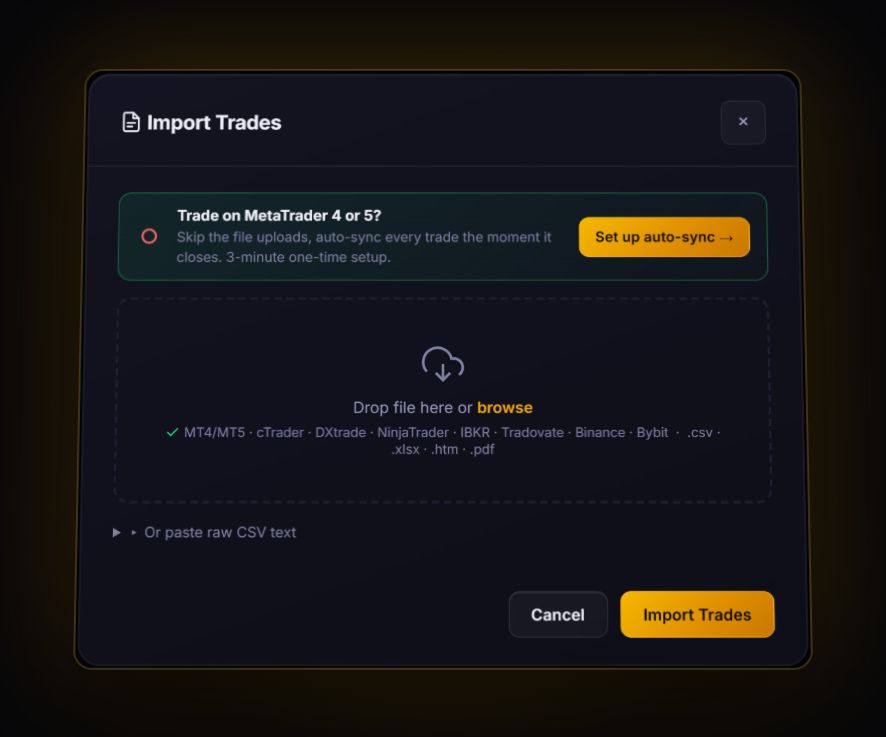
- Imports by file. Binance and Bybit exports are recognised by their headers. Every other exchange imports through the generic CSV mapper once the columns are named Symbol, Side, Quantity and Price. Excel files work too.
- Pairs fills into trades. One row per execution becomes one trade per round trip, first in, first out. Unmatched fills show as open positions.
- Costs crypto trades realistically. Each account has a crypto cost preset: perp taker plus funding, spot, zero-fee, or your own custom rates.
- Measures in R. Scale-ins and partial exits fold into one trade, with R weighted by size on the risk taken at entry.
Crypto exchanges are not live-synced. Live sync in the journal covers MT4, MT5 and cTrader. Everything here comes in by import.
Journal crypto in R, net of fees and funding
Import your exchange CSV, let the journal pair the fills, and see what your edge looks like after costs.
Start free, no card