Hyperliquid trading journal: fills, hourly funding and clean R
Hyperliquid is an on-chain perpetuals exchange, so your history belongs to your wallet address. In the app, the Portfolio area has Trade History, Funding History and Order History tabs, and Trade History offers a CSV export with time, market, direction, price, size, fee and closed P&L. For full history, the public info API returns fills with userFillsByTime and funding with userFunding. Funding is charged every hour.
Last checked: 8 October 2026. Exchange menus, fees and rules change, so confirm on the exchange’s own site before you rely on them.
Journaling Hyperliquid is different in three ways. There is no account statement, because there is no account in the usual sense: everything is tied to a wallet address and is public on-chain. Funding is hourly, so it adds up faster than you expect. And the direction column uses words like "Open Long" and "Close Short" rather than buy and sell, which most journal importers do not understand without a small fix.
Getting your history out
From the app
Open your portfolio and the Trade History tab. Use Export as CSV. The file has time, market, direction, price, size, fee and closed P&L for each fill. Deposits and withdrawals have their own CSV export. Funding History shows every hourly payment. Hyperliquid’s docs point to third-party tools for older history, so if your export stops short, use the API.
From the API
Send a POST request to https://api.hyperliquid.xyz/info. No key is needed, only your public address.
{"type": "userFillsByTime", "user": "0xYourAddress", "startTime": 1735689600000}
{"type": "userFunding", "user": "0xYourAddress", "startTime": 1735689600000}userFillsreturns up to your 2,000 most recent fills.userFillsByTimereturns up to 2,000 per response from a start time. Page through by using the last timestamp as the next start. Only your 10,000 most recent fills are reachable this way, so export regularly if you trade often.userFundingreturns each funding payment with the coin, the USDC amount, your position size and the rate.
Each fill includes coin, px, sz, side, time, dir, closedPnl, fee, feeToken and more. Spot fills show the coin as an index such as @107 rather than a name, so map those to symbols before importing.
Turning direction into buy and sell
The journal pairs fills into trades when every row has a buy or sell side. Hyperliquid’s direction column needs one simple translation:
| Hyperliquid direction | Side for the journal |
|---|---|
| Open Long | Buy |
| Close Long | Sell |
| Open Short | Sell |
| Close Short | Buy |
Add a Side column with those values, rename market to Symbol, size to Quantity, and keep Price, Fee and Time. The generic CSV mapper then reads it as a fill export and pairs opens and closes first in, first out. Positions still open show as open.
Hourly funding adds up
Hyperliquid charges funding every hour at one eighth of the computed 8-hour rate, capped at 4% an hour. The daily cost is the same as an 8-hour exchange at the same rate, but it starts the moment you hold, and it never waits for a fixed time you can avoid.
You hold a 12,000 USDC long on a hot coin for 30 hours. The 8-hour rate averages 0.04%, so each hour costs 12,000 × 0.04% ÷ 8 = 0.60 USDC.
30 hours: 18.00 USDC. Fees at the base perp taker rate of 0.045%, in and out: 12,000 × 0.045% × 2 = 10.80 USDC.
The trade closes with closed P&L of +150.00 across the fills, on a stop that risked 60 USDC. Gross 2.50R. Net 150.00 − 10.80 − 18.00 = 121.20, which is 2.02R.
Almost half an R went to costs. On an 8-hour exchange you could have dodged one funding window by closing a few minutes early. Here there is nothing to dodge.
Hyperliquid’s base-tier fees are 0.015% maker and 0.045% taker on perps, and 0.040% maker and 0.070% taker on spot.
Privacy and multiple wallets
Because your trades are public by address, many traders use more than one wallet. Treat each wallet as its own account in the journal, named so you know which is which. If you use a vault or sub-account, export it with its own address.
In the RB Trading journal
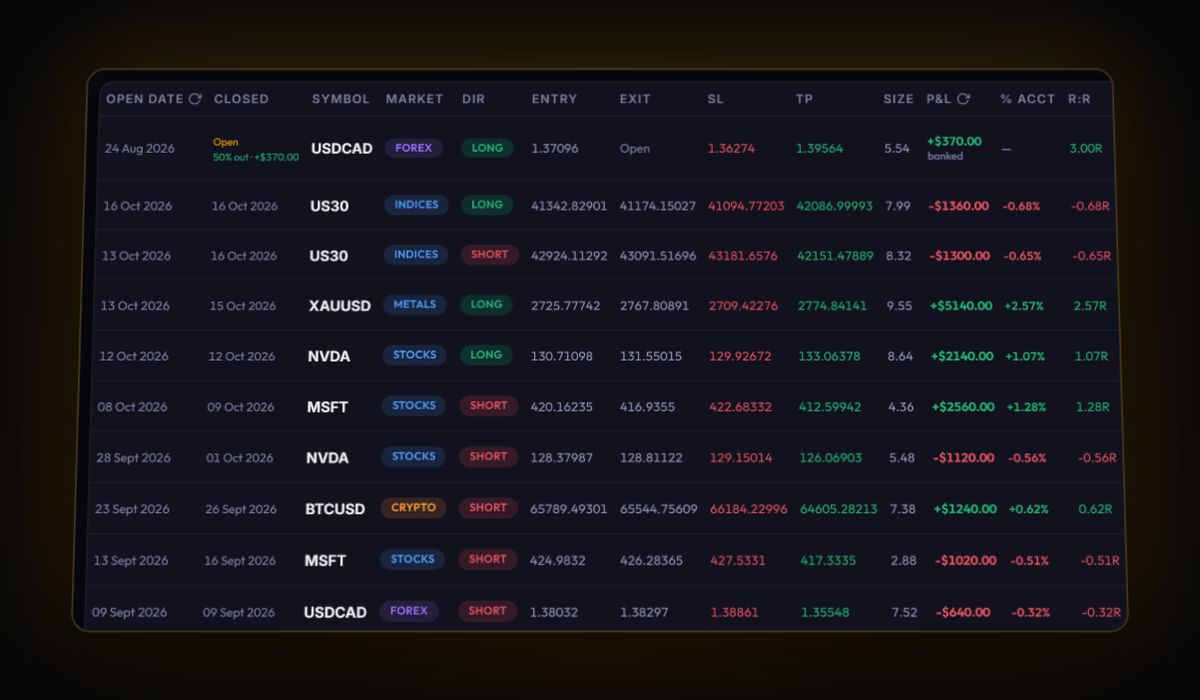
- Import the fixed CSV through the generic mapper. Opens and closes become trades with exact prices and fees.
- Add funding from Funding History or
userFundingto the swap field on each trade, so net R is real. - Set a custom cost preset for the account, for example 0.045% per side and your typical funding rate, for trades you log by hand.
- Add your stop to each trade. On-chain fills record what happened, never what you planned, and R needs the plan.
There is no live sync with Hyperliquid. History comes in by file. The journal does not connect to your wallet.
Hyperliquid journal questions
How do I export my Hyperliquid trade history?
Use Export as CSV on the Trade History tab in the app. For longer history, request userFillsByTime from the public info API with your wallet address, paging by the last timestamp.
How often does Hyperliquid charge funding?
Every hour, at one eighth of the computed 8-hour rate, capped at 4% per hour.
Why does my journal not recognise the Hyperliquid direction column?
Because it says Open Long, Close Long, Open Short or Close Short rather than buy or sell. Add a Side column: Open Long and Close Short are buys, Close Long and Open Short are sells.
Sources
Track it in a journal that does the maths
Log the trade once. R, fees and the weighted average entry are worked out for you.
Start free, no card