Deribit trading journal: the transaction log, inverse contracts and options
Everything you do on Deribit lands in the Transaction Log: set the timeframe, query and download a CSV for the current account and currency. The main account can also request a yearly export by email covering every asset and subaccount. Two things make Deribit journaling different: its BTC and ETH contracts are inverse, so your R depends on whether you count in coin or dollars, and options risk is the premium you paid.
Last checked: 8 October 2026. Exchange menus, fees and rules change, so confirm on the exchange’s own site before you rely on them.
Deribit is the largest crypto options venue and also lists futures and perpetuals. Coinbase completed its acquisition of Deribit on 14 August 2025, and the exchange continues to operate under its own name. For a journal, the important facts are about the contracts, not the owner: inverse settlement, continuous funding, and options with very different risk shapes from a perp.
Export the transaction log
- Open the Transaction Log for the account and currency you want.
- Set the timeframe and run the query.
- Download the CSV. It covers only the current account or subaccount and the selected currency, so repeat for each.
For a full year in one go, the main account can request a yearly export: Transaction Logs › Export, choose the year (2023 onward), add any CC recipients and confirm with your security key. It covers every asset and subaccount and is sent by email.
The CSV columns include Date, Instrument, Type, Side, Amount, Price, Mark Price, Index Price, Cash Flow, Funding, Fee rate, Fee charged, Change. If you need older history or automation, the API method private/get_transaction_log returns up to 1,000 rows a call with a continuation cursor.
Deribit’s help page and its API docs describe the reach of the website export differently. If an older year is missing from your download, use the API.
Inverse contracts: R in BTC or R in USD?
Deribit’s BTC perpetual is inverse: you trade a dollar amount, and profit is paid in BTC. Profit in BTC is size in USD × (1/entry − 1/exit) for a long. That curve means a dollar move up is worth less BTC than the same dollar move down.
Long $10,000 of the BTC perpetual at 60,000, stop 58,800, target 63,000.
In BTC. Win: 10,000 × (1/60,000 − 1/63,000) = 0.007937 BTC. Loss at the stop: 10,000 × (1/60,000 − 1/58,800) = −0.003401 BTC. Reward to risk 2.33R.
In USD at the exit price. Win: 0.007937 × 63,000 = $500. Loss: 0.003401 × 58,800 = $200. Reward to risk 2.50R.
Same trade, two answers. Neither is wrong. Pick one unit for the account and use it for every trade. If your goal is to grow your BTC stack, journal in BTC. If you think in dollars, journal in dollars and convert at the exit price.
Options: the premium is your risk
When you buy an option, the most you can lose is the premium. That is your 1R, and you do not need a stop for R to work.
You buy one BTC call for 0.0250 BTC. The trading fee is 0.015% of the underlying, so 0.00015 BTC, well under the cap of 12.5% of the option’s price. Total risk 0.02515 BTC, which is 1R.
You sell it a week later for 0.0610 BTC and pay another 0.00015. Net profit 0.0610 − 0.00015 − 0.02515 = 0.0357 BTC, or 1.42R.
If it expires worthless you lose 0.02515 BTC: exactly −1R. Selling options is the opposite shape, small capped gains and large possible losses, so a written stop or hedge is what defines R there.
Funding is continuous
Deribit perpetual funding accrues continuously into your session P&L, quoted as an 8-hour rate applied to the time you actually held, and settles daily at 08:00 UTC. It appears in settlement entries in the log rather than as its own type. There is no funding window to sidestep, and a position opened at 07:59 UTC settles a minute of funding a minute later. Read the Funding column next to each settlement and add the amounts for the time you held each trade.
In the RB Trading journal
- Use a separate account per currency. A BTC-settled account and a USDC account should not share stats. The journal keeps accounts separate and can still show them together.
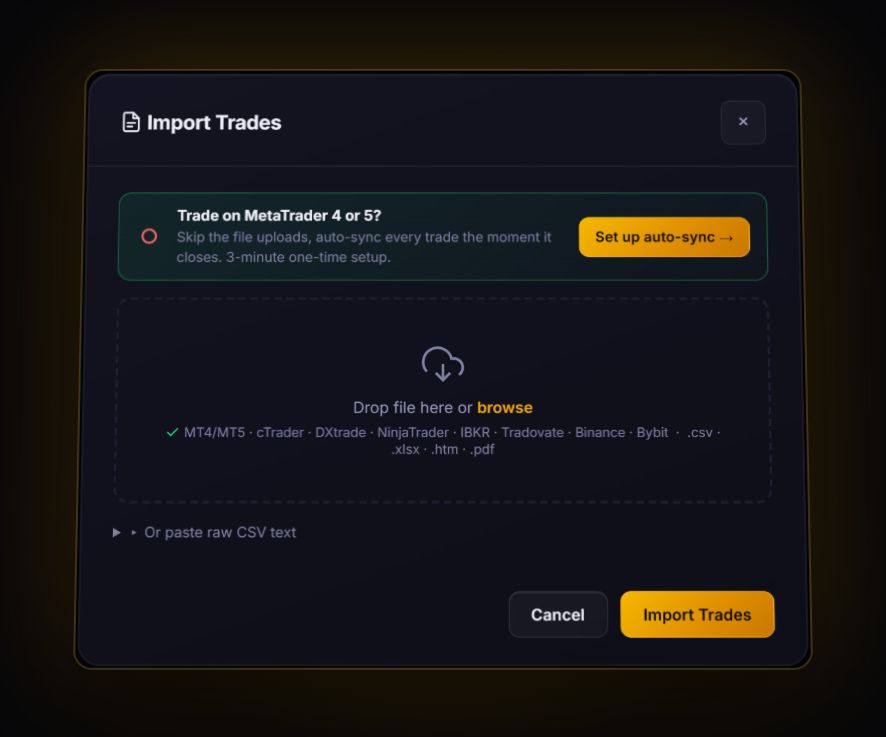
- Import through the generic mapper. The log already has
Instrument,Side,AmountandPrice. Delete theFee ratecolumn and renameFee chargedtoFee, so the mapper picks up the amount rather than the rate. Keep only trade rows, removing settlement and transfer rows before import. - Add funding to the swap field from the settlement rows, and set the stop on each perp trade so R appears.
- For options, the premium is the risk. Log the option price as entry and exit, and write the premium plus fees in the notes as 1R. The R-multiple calculator gives you the figure in one step.
Deribit spot trades also appear in the transaction log and currently carry zero trading fees. Check Deribit’s fee page, as a new schedule took effect on 1 August 2026.
Deribit journal questions
How do I export Deribit trade history?
Open the Transaction Log, set the timeframe and download the CSV for each account and currency. The main account can also request a yearly email export covering all assets and subaccounts.
Why is my R different in BTC and in dollars on Deribit?
Because BTC and ETH perpetuals are inverse contracts. Profit is paid in coin with a 1 divided by price formula, so the same dollar move is worth a different amount of BTC up and down. Pick one unit per account and keep it.
How do I calculate R on a Deribit option?
For a bought option, 1R is the premium plus fees. A call bought for 0.0250 BTC and sold for 0.0610 BTC, after 0.00015 BTC of fees each way, made about 1.42R.
Sources
Track it in a journal that does the maths
Log the trade once. R, fees and the weighted average entry are worked out for you.
Start free, no card