MEXC trading journal: futures exports and what zero maker fees are worth
On MEXC, futures orders export from Orders › Futures Orders › Order & Trade History › Export Order History. Realised P&L per position comes from Position History on the website, any 365-day window within the last 18 months, 10 downloads a month. Funding appears in Capital Flow. MEXC’s base futures fee is 0% maker and 0.02% taker, which makes order type one of the most important things to journal here.
Last checked: 8 October 2026. Exchange menus, fees and rules change, so confirm on the exchange’s own site before you rely on them.
MEXC attracts active futures traders with very low fees and high leverage. Both shape how you should journal it. Low fees mean your entry method, limit or market, decides most of your cost. High leverage means liquidation needs watching on every trade. The exports cover both, with a few limits worth knowing before you need them.
Export futures orders
- On the website, go to Orders › Futures Orders › Order & Trade History. On the app it is Transactions › Futures Orders › Order & Trade History.
- Click Export Order History and choose the range.
Export position history (realised P&L)
- On the website, go to Orders › Futures Orders › Position History.
- Click Export Position History. Choose the pair, margin mode, direction, close time range and format.
- Download. Large files over 10,000 entries are prepared in bulk mode.
You can pick any 365-day window within the past 18 months, up to 100,000 entries per export, with 10 downloads a month. The screen itself only shows 90 days. The export holds trade time, average entry and close prices, direction, size, margin mode, realised P&L and status.
MEXC’s position-history article, updated in September 2026, mentions PDF as the format. If CSV is not offered for your export, use the spot and futures account data export from the help centre, or copy the rows into the journal’s CSV paste box.
Funding is in Capital Flow
Funding payments do not appear in position history. They show up in Capital Flow, which can be exported for up to 180 days. MEXC funding is every 8 hours at 00:00, 08:00 and 16:00 UTC, with some pairs on a 4-hour schedule. On a 4-hour pair you pay six times a day, so a three-day hold is eighteen funding charges, not nine.
What zero maker fees are worth
Every trade risks 30 USDT on a 3,000 USDT position (a 1% stop).
Market in, market out: 3,000 × 0.02% × 2 = 1.20 USDT, or 0.04R a trade.
Limit in, market out: 0 + 0.60 = 0.60 USDT, or 0.02R.
Limit in, limit out at target: zero.
On 300 trades a year, market-in, market-out costs 12R. Limit entries halve that. The catch is that limit orders sometimes do not fill, and the trades you miss may be your best ones. Only your journal can tell you which effect is bigger, if you record the order type on every entry and every missed fill.
High leverage: log it on every trade
MEXC lets you set leverage far above what most strategies need. Leverage does not change your R when you size from the stop, but it moves liquidation towards your entry. At very high leverage, liquidation can sit inside your stop, so the exchange closes you before your plan does. Note the leverage and liquidation price in each trade, and read liquidation versus stop loss for how to check the two against each other.
Spot and the account data export
MEXC’s help centre has an Account Data Export where you choose spot, futures, funding history, fiat or earn. The version we found covered the last 540 days, up to the previous day, with 10 exports a month per category, collected from Export History with a link valid for 7 days. That article has since been moved, so check the current help centre for the latest limits.
Into the RB Trading journal
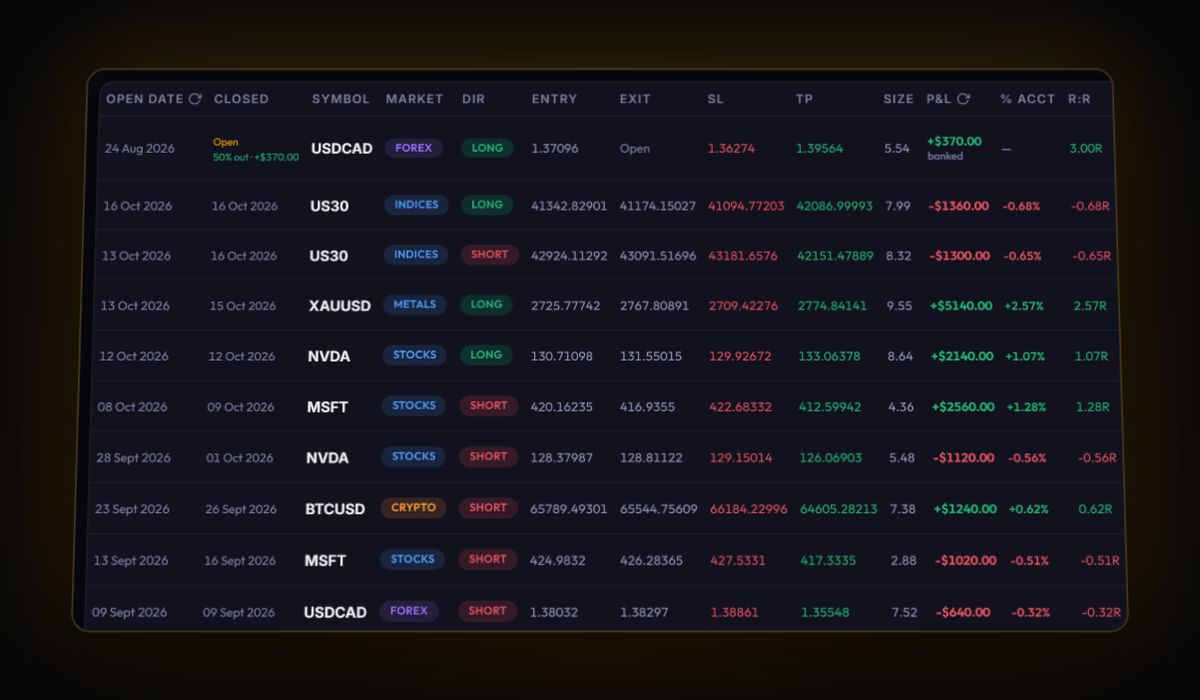
- CSV or Excel goes through the generic mapper. For closed positions, rename the columns to
Symbol,Side,Size,Open Price,Close Price,Open Time,Close TimeandPnL. - Add funding from Capital Flow in the swap field, so held positions show their real cost.
- Record the order type in tags, "limit entry" or "market entry", so you can compare their results after a hundred trades.
- Set the cost preset to Custom with 0% and 0.02% per side, or your own rate, for trades you log by hand.
MEXC journal questions
How do I export MEXC futures history?
Use Export Order History on the Order and Trade History tab under Futures Orders, and Export Position History on the Position History tab for realised P&L. Position history covers any 365-day window within the last 18 months.
Where are MEXC funding fees?
In Capital Flow, not in position history. Capital Flow can be exported for up to 180 days.
Are MEXC maker fees really zero?
MEXC's base futures fee is listed as 0% maker and 0.02% taker. Fees change, so confirm the current rate on MEXC's fee page.
Track it in a journal that does the maths
Log the trade once. R, fees and the weighted average entry are worked out for you.
Start free, no card