Plus500 has no CSV export. Here is the workaround
Plus500 does not give you a spreadsheet of your trades. Its Reports screen shows your activity as a web page in the browser or emails it as a PDF. To journal it, open the report in the browser, copy the closed positions table into a spreadsheet, save it as CSV, and import it. The journal has detection for Plus500's instrument, action and P&L headers, so a clean copy maps itself.
Where the report is
In the WebTrader, open Menu, then Tools, then Reports. On the mobile app it is More > Account > Reports. Pick a time frame, then choose between two buttons:
- Show Report opens it in the browser as a web page. This is the one you want.
- Send by Email sends a PDF to your registered address. Fine for records, no use for import.
There is also an annual report option. Plus500's help describes these reports as covering closed positions and your profit and loss. We could not find any official mention of a CSV or Excel download, and Plus500 does not offer MetaTrader, so there is no live sync route.
Turning the report into a CSV
- Open the report with Show Report on a desktop browser. Phones make this harder than it needs to be.
- Find the closed positions table. Click just before the first header cell, then shift-click after the last cell of the last row.
- Copy and paste into Google Sheets or Excel. Most browsers paste HTML tables as proper columns.
- Delete any rows above the header and any totals rows below the data. The header must be the first row.
- Save or download as CSV. Keep the original header names; the journal looks for them.
Do it monthly. Copying a month of trades takes two minutes. Copying a year in one go means scrolling a huge table and missing rows. A monthly habit also means you actually review the month, which is the whole point.
What the columns mean
Plus500 does not publish the exact report layout, so names can shift a little. The journal's Plus500 detection looks for an Instrument column, an Action column (buy or sell), and a P&L column, then maps these:
| Typical header | Journal field |
|---|---|
| Instrument | Symbol |
| Action | Direction |
| Amount / Quantity | Size |
| Date opened / Date closed | Open and close date |
| Open rate / Close rate | Entry and exit price |
| P&L / Net profit | Net P&L |
| Position ID | Ticket |
One cleanup matters: Plus500 instrument names have spaces, such as "US 500". The journal keeps a symbol up to its first space, so in our test "US 500" was stored as "US". Replace names with one-word codes (US500, OIL, GOLD) before saving the CSV.
If your copy does not have an Instrument and Action header, the column mapper opens and you tag the columns by hand. It needs at least Symbol, Open date and Net P&L, and it remembers the mapping for next month.
Plus500 charges to keep in mind
Plus500 describes overnight funding added to or taken from your account for positions held past the cut-off, and dividend adjustments on the ex-date for share and index positions. Its help pages do not say how these appear in the report, so check whether your P&L column already includes them. A quick test: pick one trade you held overnight and compare its P&L with the account balance change that night.
Importing and reviewing
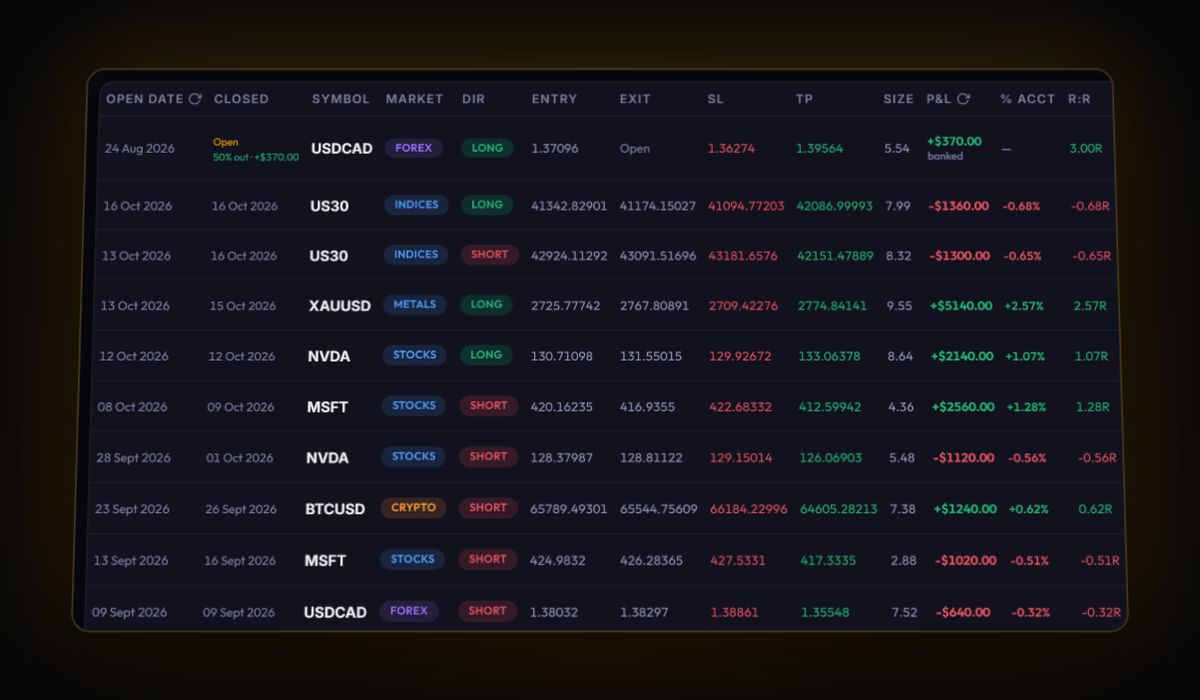
Open Import, drop your CSV and press Import Trades. Plus500 detection maps the file when the headers match; otherwise you tag the columns once in the mapper. There is no live sync for Plus500 because it does not run MetaTrader or cTrader.
Once your trades are in, start with these:
- Average winner against average loser. Plus500's guaranteed stops and trailing stops make it easy to cut winners early. If your average loser is bigger than your average winner, your win rate has to carry everything.
- Trades per day. A one-tap app invites overtrading. Look at your P&L on days with more than five trades against days with fewer.
- R once you add stops. The report has no stop column. Add the stop to the trades you want to study and read them in R with the R-multiple calculator logic.
Quick answers
Can I export Plus500 trades to CSV or Excel?
Not directly. Plus500 Reports open as a web page or arrive as a PDF by email. Copy the closed positions table from the web page into a spreadsheet and save it as CSV.
Can I auto-sync Plus500 to a trading journal?
No. Plus500 only runs its own platform, with no MetaTrader or cTrader access, so every journal needs a file from you.
Where are Plus500 reports in the app?
On the mobile app go to More, then Account, then Reports. In the WebTrader it is Menu, Tools, Reports.
Does Plus500 include overnight funding in the report P&L?
Plus500's help does not say. Compare one trade held overnight with the balance change that night to find out for your account.
Sources
Last checked: 8 October 2026. Brokers move menus and change fees without notice, so confirm the current steps and costs on Plus500's own site before you rely on them.
Your broker history, finally readable
Import your file, see your R, sessions and fees in one place. The free plan holds 50 trades.
Start free, no card