KuCoin trading journal: export monthly before the history ages out
KuCoin spot history exports from the website: Order Center › Export, choosing data type, market, time range and time zone, up to one year per file, 20 reports a month, in CSV, Excel or PDF. KuCoin’s export article does not list futures, so record futures results from the PnL History page each month, because older futures fills are hard to retrieve later. Import the CSV into the journal with the generic mapper.
Last checked: 8 October 2026. Exchange menus, fees and rules change, so confirm on the exchange’s own site before you rely on them.
KuCoin is a good example of why a journal should be a monthly habit rather than a once-a-year rescue. Spot history goes back to 2017 and exports cleanly. Futures history does not have the same export, and through the API, futures fills only reach back about three months. If you wait until tax season to journal your futures, some of it may be gone.
Export your spot history
- Log in on the website and open the Order Center.
- Click Export. Choose the data type, the market, the time range and the time zone. Master accounts can include sub-accounts.
- Submit. Processing time varies, and KuCoin tells you by SMS, email or on-site message when it is done.
- Download from Orders › Export › Recent Exports, or the newer Profile › Export Data › Recent Exports. The link stays valid for 30 days.
Each export covers up to one year, data goes back to 16 September 2017, and you get 20 reports a month. Only filled or partly filled orders are included, so cancelled orders will not clutter your journal.
KuCoin also runs separate KuCoin EU and KuCoin AU sites. If your account is on one of those, the menu names may differ slightly.
Futures: capture it while you can
KuCoin’s data export article covers deposits and withdrawals, spot, margin, convert and fiat, but not futures. Futures results appear in PnL History, under Assets › Futures on the app or on the web assets page. Through KuCoin’s API, futures fills reach back three months and each request is limited to a seven-day window, while the positions history returns net P&L with separate trading-fee and funding-fee figures.
Practically, that means a monthly routine:
- On the first weekend of each month, open PnL History and record every closed futures position from the month before: pair, side, size, entry, exit, P&L, trading fees and funding.
- Log them in the journal with the stop you planned, so each has an R.
- Export spot for the same month and import it.
March: 14 closed futures positions. Total P&L +412 USDT, trading fees −61 USDT, funding −38 USDT. Every trade risked 50 USDT.
Gross that is 412 ÷ 50 = 8.24R, about 0.59R per trade. Net it is (412 − 61 − 38) ÷ 50 = 6.26R, or 0.45R per trade.
Fees and funding took a quarter of the month’s result. Kept monthly, these numbers become a twelve-month expectancy you can trust. Pieced together in December from memory, they would not.
Sub-accounts deserve their own journal accounts
Many KuCoin traders use sub-accounts to separate strategies, a bot on one, discretionary trading on another. Do the same in the journal: one journal account per sub-account. A master export that includes sub-accounts can be split by its account column before import. Mixing a grid bot’s hundreds of small trades with your own swing trades makes your win rate and expectancy describe neither.
Fees and funding on KuCoin
KuCoin futures fees start at 0.02% maker and 0.06% taker. Funding is charged every 8 hours on most contracts, but the interval varies by contract and some have moved to hourly. Check the contract page before holding a position for days.
Import into the RB Trading journal
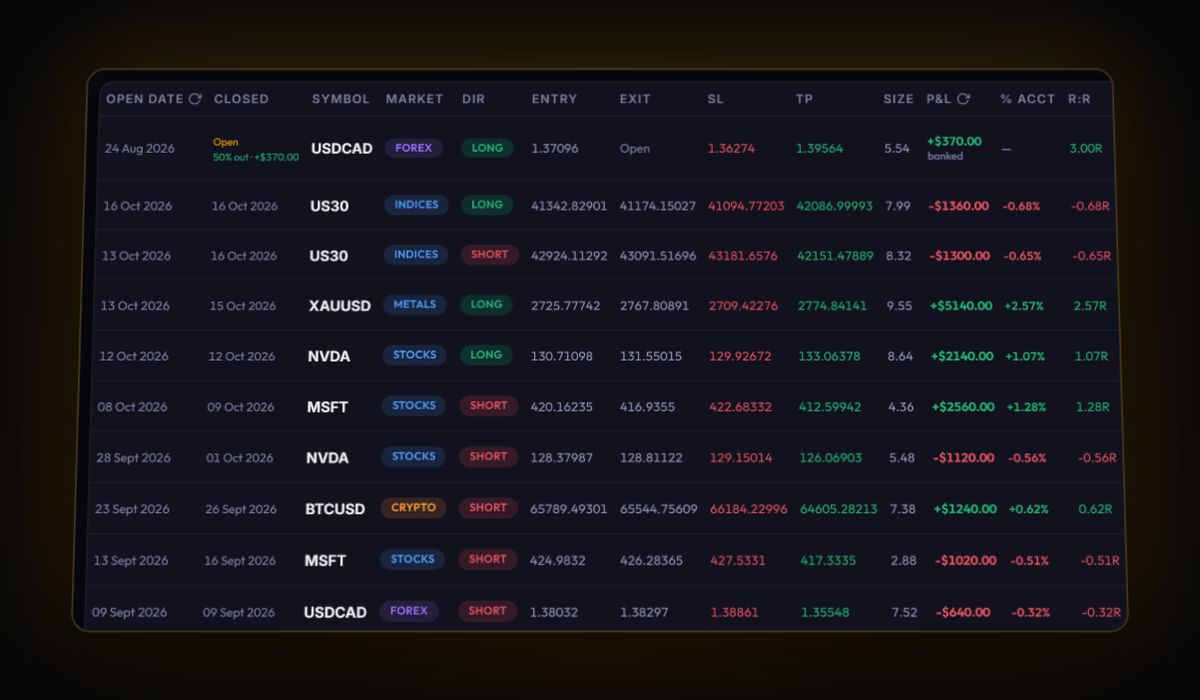
- Spot CSV through the generic mapper. It reads fills when it finds a symbol, side, quantity and price. KuCoin’s column names are not published, so open the file and rename where needed, for example a trading-pair column to
Symboland a filled-size column toQuantity. - Fills become trades. Buys and sells on each pair are paired first in, first out. What is left unmatched shows as an open position.
- Futures by hand, monthly. Log each closed position with entry, exit, stop and size; fees go in commission and funding in the swap field.
- Excel is fine. The journal accepts .xlsx as well as .csv.
KuCoin journal questions
How do I export my KuCoin trade history?
On the website, open the Order Center, click Export, choose the data type, market, time range and time zone, then download from Recent Exports when it is ready. Each export covers up to a year.
Can I export KuCoin futures history?
KuCoin's export article does not list futures. Use the PnL History page under your futures assets, and record it monthly, since API access to futures fills only reaches back about three months.
How far back does KuCoin trade history go?
Spot exports reach back to 16 September 2017, with up to one year per file and 20 reports a month.
Sources
Track it in a journal that does the maths
Log the trade once. R, fees and the weighted average entry are worked out for you.
Start free, no card